

Top Android & iOS Apps to Download as We Welcome 2026 features a carefully curated list of must-have applications, designed for Android and iOS users to help them stay productive, entertained, and connected in the new year.
Ah, the new year. For many, it’s a fresh start — leaving the past year behind and beginning anew. This week’s Top 5 apps will hopefully set a positive tone for the start of 2026. We looked at a wide range of mobile apps and games on both Android and iOS platforms to determine the top Android & iOS Apps to Download as We Welcome 2026 , and which apps you should have on your phone when the clock strikes midnight on December 31, 2025.
After sifting through the numerous options on the Google Play Store and Apple App Store, we’ve narrowed the list down to five interesting picks. If you want to start the new year with new friends — and who knows, maybe even a new love — you can try SayHi Chat. Or if you want to de-stress and run a zoo, there’s Retro Zoo CEO. Enough talk — let’s see Top Android & iOS Apps to Download as We Welcome 2026
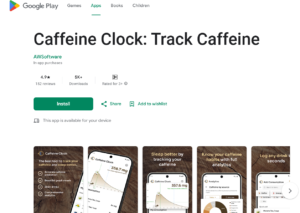
Ah, coffee. If you’re going to be partying all night and need to stay awake, taking caffeine shots seems like an obvious choice. But if your New Year’s resolution is to regulate your caffeine intake, then Caffeine Clock is for you. This app clearly shows me how much caffeine I’m consuming and how long it stays in my body.
Based on scientifically informed half-life estimates, the app models absorption and decline and shows in a clear visual format how much caffeine I’ve consumed, how quickly it’s decreasing, and what effect it will have on my sleep later.
I really liked Caffeine Clock’s minimalist and thoughtful design. No mandatory sign-in, no cloud account hassle, and my data stays only on my device. Yes, there are a few questions about coffee habits and sensitivity at the beginning, but after that, you get a clean dashboard that shows your current caffeine level and its projected curve over time.
This dashboard felt quite useful — not just numbers, but a visual story that helps you decide if that afternoon espresso is worth it or if you should stop now for better sleep. The app’s database is also quite comprehensive — over 200 caffeine-containing items are already listed, from coffee and tea to energy drinks. And if your favorite drink isn’t on the list, you can add it custom.
Overall, Caffeine Clock is good, but one limitation is the lack of seamless syncing with third-party health platforms — although recent updates have added basic caffeine data syncing with Apple Health and Google Health. If you drink two or more coffees a day, this app is worth checking out.

The new year often signals new beginnings, and many people want to learn something new — like a new language (besides finding a partner or achieving fitness goals).
That’s where Pingo AI comes in. This app doesn’t just rely on flashcards or rote learning, but tries to be an always-ready conversation partner that listens, responds, and pushes you towards fluency through natural dialogues.
Instead of repetitive drills or gamified modules, Pingo AI throws you directly into real-life conversations — like ordering food, asking for directions, or debating a topic. The AI adapts to your level and provides feedback, just like a patient native speaker.
I really liked its focus on real-world speaking, as finding actual practice partners isn’t always easy.
One downside is that the app is quite subscription-heavy. A free trial is available, but the window seems a bit too short to decide on a long-term commitment. The free content is also quite limited and quickly pushes you towards a paid plan – which is understandable given the developers’ efforts.
In the best-case scenario, Pingo listens attentively, understands even with imperfect pronunciation, and moves the conversation forward in a very human-like way. In the worst case, it can be a bit glitchy – sometimes lagging, sometimes freezing, or the session ending abruptly. In some cases, the AI’s assessment also seemed a little off.

Loneliness affects many people, we just don’t show it. Starting the new year with a friend – or with the hope of not being alone for life – isn’t a bad idea. That’s where SayHi Chat comes in. Every “new year apps” list includes a dating or social app. This app connects people nearby or worldwide through text, voice messages, and video chats.
While using the app, I realized the experience was quite uneven. Some chats were fun, some felt like genuine connections (which were honestly rare), and I was quite skeptical about many interactions — “How real are these people?” Fake profiles, bots, and accounts interested in money or off-platform conversations seemed quite common.
The monetization is also a bit irritating. The app is free, but many basic features are locked behind coins or points, pushing you towards in-app purchases. Yes, if you’ve already tried all the other social options, the money spent here might be less than a night out — provided you find a genuine connection.
As with any virtual social app, authenticity and safety concerns should be kept in mind. It’s best to keep expectations low and be alert to suspicious behavior. And if the person is from the same city, a real-life meet-up is the best reality check.
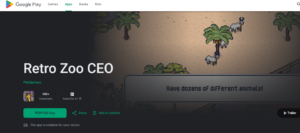
After spending a lot of time with mobile games, Retro Zoo CEO immediately grabbed my attention. The idea of managing a pixel-art zoo, reminiscent of an old 16-bit game world, is quite charming. The surprise was how smartly the game balances nostalgia and modern mobile gameplay. The process of starting with a run-down zoo and turning it into a thriving attraction was quite satisfying.
The game’s pacing is excellent — neither overwhelming nor boring. Collecting revenue, expanding habitats, and unlocking quirky retro creatures — everything has a light-hearted humor to it. Each unlock genuinely feels like a reward, not just a checklist item.
The monetization is also quite balanced. There are optional boosts, but I never felt forced to pay. I was able to optimize my zoo at my own pace. The controls are smooth, the interface is clean, and the retro soundtrack brings back fond memories.
Ultimately, Retro Zoo CEO is a game that can quietly run in the background — without demanding attention. It’s relaxing, not stressful, which is something I appreciate more and more with age.
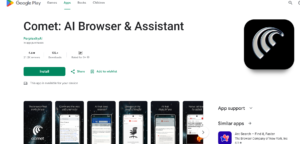
Are all browsers the same? In the age of AI, the answer is a resounding no. The Comet AI Browser doesn’t just display web pages; it helps you understand them. Based on the Chromium engine, the basic browsing experience feels similar to Chrome or Edge, but it features a deeply integrated AI assistant.
The AI assistant, located in the sidebar, can summarize long articles, explain complex topics, and extract insights from multiple tabs – all without requiring repeated searches. There’s a strong focus on productivity, especially during research or online shopping.
Several times, the assistant provided summaries and comparisons so quickly that it saved a significant amount of time. However, the mobile version did exhibit some AI-related inconsistencies – occasional lag and slow responses. Perhaps managing expectations is necessary here.
Overall, the Comet AI Browser seems like an ambitious step towards next-generation browsing – more conversational, proactive, and capable. It’s not perfect, but when it works correctly, the potential of AI is truly mind-blowing.
READ MORE: Vivo X300 Pro Review After 2 Months: Camera, Gaming & better Battery Performance


Pingback: Xiaomi Redmi Note 15 Pro Plus Review: Better Battery and Camera Than Samsung Galaxy A?